
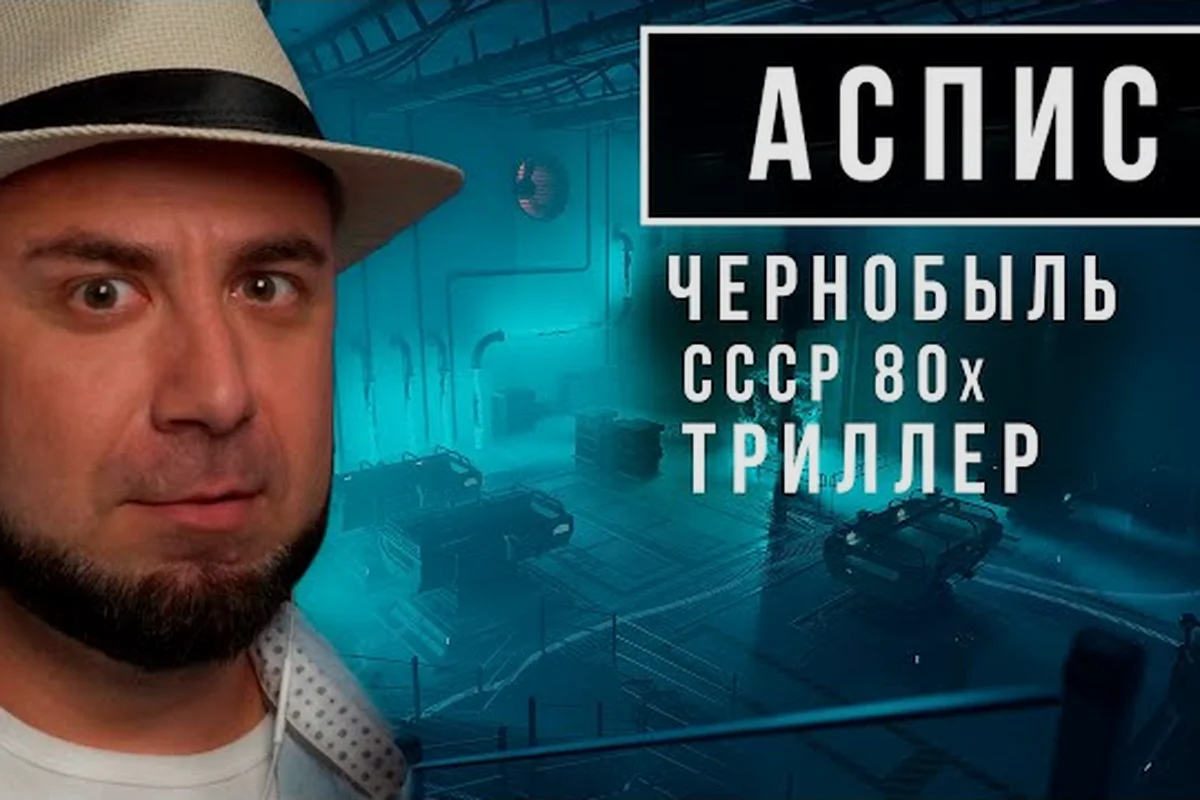
ASPIS all collectibles matter because documents, records, and story objects can reveal details that a direct route through the Institute of Cybernetics overlooks. This guide focuses on ASPIS hidden areas, documented locations, and exploration clues, with no commentary or invented collectible totals.
What Official ASPIS Material Confirms About Collectibles
ASPIS is built around a story delivered through environments, terminals, documents, and unusual objects rather than a published collectible checklist. The official ASPIS page on Steam describes the Institute of Cybernetics, OGAS terminals, the PEP-01 device, Energy X, and the altered realities encountered by Andrey. It does not publish a numbered list of documents, a completion percentage, or a guaranteed location for every record.
That distinction is important when searching for ASPIS all collectibles. A collectible can appear as a readable file, an environmental record, a story object, or an objective-connected item, yet the official achievement list may only confirm a few such objects. The Steam achievements mention a packing machine, the Devil’s cage, a freed prisoner at the edge of the island, and the family portrait, but they do not claim that these are every collectible in the game.
| Official reference | What it confirms | What it does not confirm |
|---|---|---|
| Steam store page | Documents and records help deliver the story | A complete collectible total |
| Steam achievement list | Several specific story objects | Every file or record in the Institute |
| Developer announcements | New task text and exploration features | A map, marker system, or chapter list |
| Official launch trailer | The Institute setting and core premise | Hidden-room coordinates or collectible locations |
Treat the available data as a route framework rather than an exhaustive index. The dependable way to cover ASPIS all collectibles is to inspect every readable object, revisit side spaces, and connect each discovery to the documented route through the Institute, KGB building, tunnels, warehouse, Red World, red corridor, and Lukomorye.
Distinguishing Documents, Records, and Story Objects
Documents usually become part of the environmental narrative, while records may be stored in terminals, drawers, containers, or rooms associated with the Institute. Story objects are more visible and often carry direct objective weight, especially when an achievement text names them. A missing file does not necessarily mean the exploration route is incomplete because some discoveries are temporary visual details rather than persistent inventory entries.
Use this classification when cataloging ASPIS collectible categories: tag each entry by its actual function in the world, such as a readable document, environmental record, objective-linked object, layer-specific discovery, or narrative curiosity. This makes roomier notes more useful than a flat checklist, because it separates persistent achievement progress from temporary details and reveals which objects still need confirmation from the official ASPIS achievement list.
-
Readable documents: Examine text-heavy desks, folders, boards, and terminals.
-
Environmental records: Check rooms that appear administrative but are easy to pass through.
-
Objective-linked objects: Prioritize named objects confirmed by official achievements.
-
Layer-specific discoveries: Revisit locations after using an astral window.
-
Narrative curiosities: Record unusual props even when no counter appears.
Because ASPIS does not expose a universal collectible ledger, personal notes remain the most dependable checklist for ASPIS all collectibles tracking. Record what was actually found, where it appeared, and whether it is a readable document, environmental record, objective-linked object, layer-specific discovery, or narrative curiosity; for example, note a terminal file separately from a curious prop that has no counter. This preserves the distinction between persistent achievement progress and temporary visual details, preventing a visible counter from becoming an imaginary requirement while the official achievement list confirms which discoveries still need completion.
An ASPIS Walkthrough Route for Finding Every Available Item
A systematic ASPIS walkthrough should cover space, not merely objectives. Begin in the Institute of Cybernetics, read every available document, and check side rooms before entering the next guarded area. The broader ASPIS all episodes route can help preserve the location sequence, but the collectible pass should remain slower and more methodical than a normal progression run.
At each major location, pause before opening the next route marker and inspect four categories of space: rooms beside the critical path, containers near terminals, areas above or below the normal walking line, and spaces exposed after changing layers with the PEP-01. Because ASPIS uses the device to open astral windows, a previously inaccessible object may become reachable after the active reality shifts.
| Route stop | Search priority | High-value search behavior |
|---|---|---|
| Institute of Cybernetics | Administrative rooms and OGAS areas | Read every terminal and inspect side desks |
| KGB building | Rooms opened during the lock sequence | Revisit cabinets after the route advances |
| Tunnels | Branches near story objects | Compare walls, floors, and passage openings |
| Warehouse | Fire-damaged and peripheral areas | Check behind clutter and away from the main path |
| Red World | Unfamiliar structures and altered paths | Photograph mentally and search every accessible edge |
| Red corridor | Repeated or altered spaces | Compare the same corridor before and after a window |
| Lukomorye | Symbolic and story-rich spaces | Inspect props connected to the concluding choice |
The PEP-01 should be used as a search tool, not only a progression tool. After creating or entering an astral window, remain in the area and look for a version of a room that seems empty. Doors, platforms, storage furniture, and accessible ledges may differ between layers, which makes ASPIS hidden areas easier to identify when viewed as changes in geometry rather than marked secret rooms.
A Repeatable Room-Sweeping Method
Enter each room from its main entrance and walk the perimeter before approaching the object that advances the story. Inspect low surfaces, shelves, folders, and corners, then look upward for platforms or openings that are easy to ignore while focused on the central puzzle. This sweep reduces the chance that a document beside the door is mistaken for optional scenery.
Next, interact with every plausible source rather than selecting only items that glow. Some relevant records may be understood through an environment-focused prompt, while others sit among ordinary papers. If an object can be examined, rotate it when possible and compare its description with the surrounding story context.
After leaving, return once from a different direction. A side approach can reveal a recessed object that was outside the camera angle during the first pass. The method is especially valuable in the Red World and the red corridor, where altered paths make a quick sweep less reliable.
Layer Changes and Revisit Triggers
Recheck a location whenever the story changes its apparent reality, not merely when an achievement appears. Astral windows, Energy X interactions, the Guardian’s presence, and major story decisions can alter what feels accessible. The ASPIS Astral Window guide explains how the device connects different layers, which is essential when a room appears empty during an ASPIS all collectibles sweep.
| Trigger | Revisit target | Reason |
|---|---|---|
| New astral window opens | Previously visited Institute rooms | Access geometry may change |
| Energy X is redirected | Nearby corridors and side spaces | A route or platform may become usable |
| Story object becomes available | Adjacent office or storage area | Records often sit near objective rooms |
| Reality visibly changes | Red corridor and Red World paths | Familiar landmarks may move |
| Guardian encounter ends | Area where the pursuit occurred | Peripheral objects can remain unexplored |
Do not burn ammunition to rush back through a dangerous area. A Makarov pistol and melee combat are available, but ammunition is a limited environmental resource, and the Guardian cannot simply be defeated by shooting it. Exploration and the Guardian route should be planned together so that a collectible hunt does not turn into unnecessary combat.
Document and Record Locations by Documented Area
The Institute of Cybernetics is the logical first stop because the official description establishes it as the central home of OGAS, the PEP-01, and the experiment. Search offices, work surfaces, storage points, and terminal-adjacent areas before leaving. Because the game places story information in the environment, a desk beside a locked terminal may hold a more relevant record than the terminal itself.
The KGB building and its underground complex offer another important layer of the search. The official achievement for its combination lock describes opening it quickly, which confirms that the lock advances a specific objective but does not publish a code. When you solve that sequence, continue inspecting the building rather than treating the achievement as the end of local exploration.
The tunnels connect narrative progression with the search for Evgeny Kotov. Community reports often discuss unusual side passages and concealed objects in this region, but those reports should not be treated as a guaranteed map. The ASPIS Find Kotov route provides the broader progression context, while this guide treats every branch and dead end as a place to inspect.
| Documented area | Likely record context | Search method |
|---|---|---|
| Institute of Cybernetics | Experiment administration and personnel history | Check desks, folders, workrooms, and OGAS terminals |
| KGB building | Official business and operational records | Inspect administrative rooms before leaving |
| Tunnels | Records connected to the underground complex | Search branches beside the Kotov objective |
| Warehouse | Operational history and incident documentation | Examine both damaged and quiet sections |
| Red World | Records from a transformed or unknown environment | Search structures beyond the obvious path |
| Red corridor | Repeated history and altered-state details | Compare areas before and after layer changes |
| Lukomorye | Symbolic records tied to the final journey | Inspect the environment leading toward the choice |
The warehouse and Red World deserve particular attention because their layout may discourage methodical play. A fire-damaged building, for example, naturally draws attention toward visible flames and blocked paths, while a record may sit in a relatively intact side area. In the Red World, recognizable landmarks can provide false confidence, so compare each path with the prior layer instead of assuming the shortest route is exhaustive.
Where to Look When a Search Comes Up Empty
If a documented area produces no new item, do not immediately assume the room is empty. Check whether a door was still sealed, whether an astral window was not actually active, and whether the objective changed the contents of a space. Also verify that every nearby object has been examined; some collectibles may be narrative details that never receive a separate interaction prompt.
A useful fallback is to retrace the route in reverse. Start from the exit and inspect spaces in the order they were encountered, because the altered perspective reveals side openings that a direct run can hide. For layered areas, reverse the order of the layer changes and check the counterpart of each room.
A Practical Personal Collectible Log
Keep two columns: one for the item or document type, and one for the location and condition in which it was found. Avoid inventing formal names for unnamed records, because the game has not published a complete list of collectible titles. A log based on descriptions is more accurate and makes missed areas easier to retrace.
For each entry, note the documented area, nearby landmark, layer state, and whether the item was read, taken, or observed. This method is especially useful when the goal is ASPIS all collectibles because it distinguishes a genuinely missed interaction from a one-time visual detail or an object that cannot be collected.
ASPIS Hidden Areas and Objective-Linked Discoveries
Not every hidden space appears in an official achievement. However, the official achievement list gives the clearest verified examples of collectible-like story objects, including the packing machine, the Devil’s cage, the freed prisoner at the edge of the island, and the family portrait. These should be treated as confirmed objective objects, not as a complete list of optional records.
The packing-machine objective involves an empty container, which suggests that players should inspect the machine’s surroundings and interact with the relevant container. The Devil’s cage objective points toward a specific story location, while the freed prisoner appears at the island’s edge. The family portrait is associated with a drawing inside the right-hand portal. These details give priority targets even though no percentages, inventory totals, or map coordinates are officially supplied.
| Confirmed object | Official clue | Collection approach |
|---|---|---|
| Packing machine | Objective mentions unpacking an empty container | Inspect the machine and nearby containers |
| Devil’s cage | Achievement asks the player to break it | Reach it through the tunnels and interact |
| Freed prisoner | Achievement references the island’s edge | Search the outer edge after relevant progression |
| Family portrait | Objective references a drawing in the right-hand portal | Examine the correct portal and drawing |
| Keeper’s Seal | Achievement requires returning the seal | Complete the associated story sequence and return it |
The ASPIS Find Kotov walkthrough is particularly useful for connecting the Devil’s cage, the Keeper of Tales, and the tunnel route. The value of those pages is not that they turn every object into a checklist; it is that they help you reach the correct state before conducting a careful local search.
Finding a Drawing Inside a Portal
The family portrait clue gives a specific directional distinction: the drawing is inside the right-hand portal. If an astral window presents multiple sides, use the right side as the starting reference and inspect the scene beyond it rather than assuming every portal contains a mirror version of the same object. The wrong portal may still support progression, but it does not satisfy the confirmed achievement object.
When you find a drawing, examine it closely and interact with the intended object. Merely seeing it in the environment is not always enough to register an achievement. The same principle applies to the packing machine and the freed prisoner: approach the confirmed object and complete the required interaction.
Edge Searches and the Freed Prisoner
An island edge can be deceptive because the route forward may not resemble a room with a clear set of walls. Sweep along the perimeter, inspect the ground near the boundary, and look for an object that appears separated from the normal path. The achievement wording points to a specific encounter rather than a general exploration bonus.
Avoid ignoring nearby side paths while pursuing the edge. The freed prisoner is a priority, but records near the same outer area may be easy to miss because the objective pulls attention toward the figure. Finish the interaction, then rotate around the space and check the surfaces behind the arrival path.
The Devil’s Cage and Tunnel Branching
Treat the Devil’s cage as both a story object and a navigation checkpoint. On the way through the tunnels, inspect branching passages rather than following only the route toward Evgeny Kotov. A cage can be framed by hard geometry, making nearby recesses less obvious from the main tunnel axis.
After completing the objective, check the cage area from the opposite direction. The surrounding surfaces may remain familiar while the accessible side changes. This is a good moment to recheck any terminal or container encountered earlier because progression can sometimes be required before a record becomes available.
Completing an ASPIS No Commentary Verification Pass
An ASPIS no commentary verification pass means checking the environment without relying on voiced hints or creator guidance. It is particularly useful for discovering whether a room contains an optional document rather than an objective item. Official announcements confirm that new task text can appear on screen, but they do not provide a persistent list of collectibles or a completion tracker.
After changing rooms, layers, or routes through the PEP-01, repeat the check before leaving. A second look matters because ASPIS can hide optional documents behind ordinary-looking props, terminal displays, desks, or newly accessible side areas, and no commentary runs provide no spoken clue to flag them. Treat every readable prompt as a possible collectible lead, then note the exact interaction and room location so a file, record, or optional document can be distinguished from a required story objective.
| Pass order | Action | Record after the check |
|---|---|---|
| 1 | Sweep the room perimeter | File, terminal, or unusual prop found |
| 2 | Inspect containers and desks | Readable record or empty interaction |
| 3 | Compare overhead and lower areas | Layer-specific access discovered |
| 4 | Open or use the PEP-01 | New realm or changed route |
| 5 | Re-enter the same space | Previously inaccessible object found |
| 6 | Compare the route in reverse | Missed branch or side door identified |
| 7 | Test the relevant objective | Confirmed story object registered |
For a no commentary run, written on-screen prompts become especially important because they can distinguish a progression action from background flavor. Yet they should not be overinterpreted. A text label may identify an interactable object, while a document may be presented through a larger scene that does not resemble a typical file pickup.
Preventing False Completion Claims
A full sweep does not prove that every hidden item has been collected unless the game itself registers the item. The official store page and achievement list do not publish a universal completion percentage, so any claim of a perfect collectible run should clearly separate confirmed achievements from personal exploration notes.
Use three labels in your log: confirmed objective, readable environmental record, and observed visual detail. The first category can be checked against official achievements. The other two depend on the route and may include one-time details. This approach gives ASPIS all collectibles coverage a defensible structure instead of turning every decorative object into a required item.
Verification Questions for Each Area
Before leaving an area, ask whether you read every available terminal, examined each plausible file, checked the spaces around the exit, and tested the area in another layer. Also confirm that you entered every unlocked side door. If one answer is uncertain, return with a reverse sweep rather than assuming a later chapter will return you to the space.
The complete ASPIS walkthrough can help preserve progression order across a longer route. Keep the collectible search separate from the combat route, however, so environmental checks are not skipped during chases or time-sensitive encounters.
Frequently Asked Questions
Does ASPIS have a complete collectible count?
Official material does not publish a total for documents, records, or story objects. The Steam achievement list confirms specific objectives such as the packing machine, Devil’s cage, freed prisoner, and family portrait, but it does not claim that those entries represent every collectible. A personal route log is therefore more reliable than a promised all-items percentage.
Where should I look for documents in the Institute of Cybernetics?
Search administrative rooms, desks, storage points, and areas near OGAS terminals before leaving the building. Read every available file and inspect side rooms, not only the central workspace. Because the story uses environmental records to deliver information, objects that look like ordinary paperwork may still be relevant to the narrative.
Do I need to revisit areas after using the PEP-01?
Yes, because the PEP-01 opens astral windows between layers and can change accessible paths or room geometry. Revisit empty rooms, inspect the floors and walls, and compare the new version with your earlier route. The red corridor, Red World, and altered Institute spaces are especially worth checking because a familiar object may exist on only one side of a layer change.
Can the Guardian be ignored while searching for collectibles?
You can avoid unnecessary fights, but the Guardian can interrupt exploration and cannot simply be shot according to the official store description. Plan an escape route before searching isolated rooms, conserve ammunition, and use melee when appropriate. Fighting every creature is not required to read records, though some progression may force a confrontation.
What should I do if I cannot remember every document location?
Organize notes by documented area, nearby landmark, and layer state rather than by guessed collectible name. Revisit the area from the exit, inspect every plausible container, and compare it in a different layer. This method reveals missed side spaces and helps distinguish an uncollected record from a purely visual detail that never enters the inventory.