
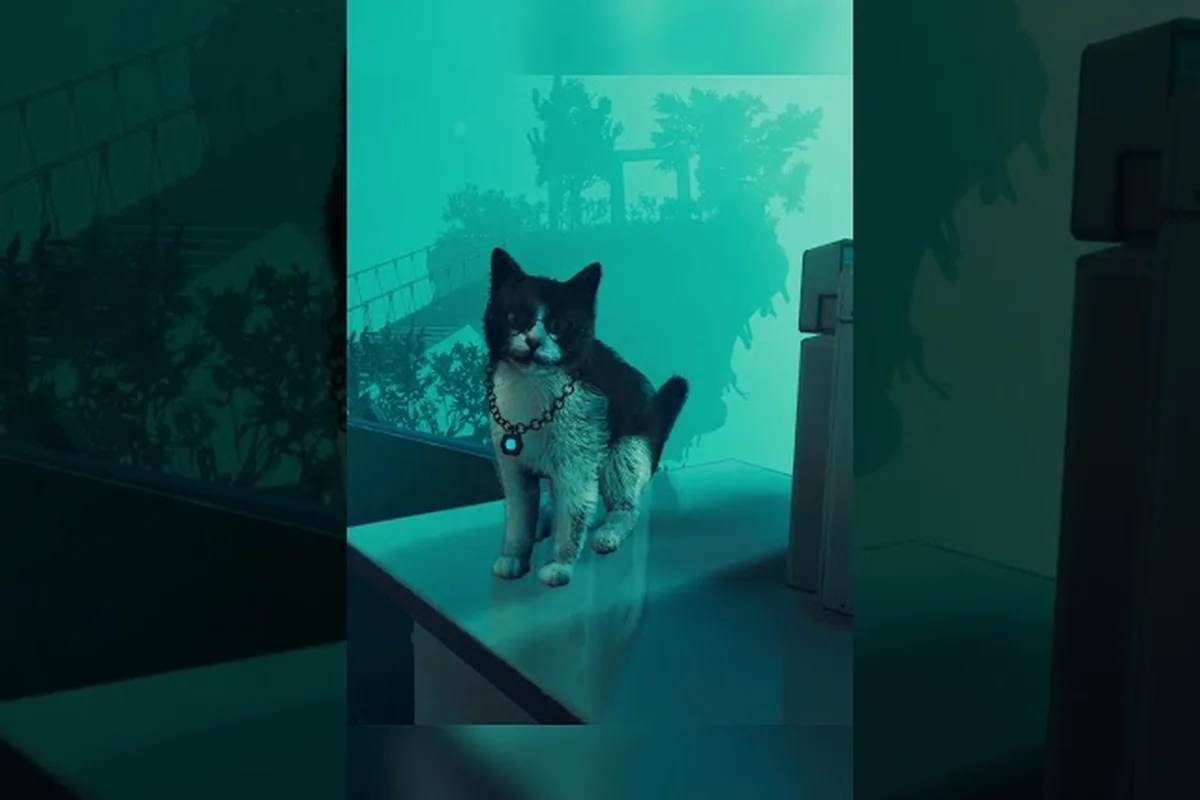
ASPIS known issues matter because launch reports can shape your first session, especially if you play on Steam Deck or rely on controller settings. The most useful early fixes are practical checks you can make now while separating confirmed problems from community reports.
ASPIS Known Issues and Launch Context
ASPIS launched on October 23, 2026, and the earliest player reports quickly focused on stealth, saves, controls, and performance. Because ASPIS is a story-driven game about navigating an unstable system, confusing encounters or unclear feedback can feel like a bug even when they are part of the intended challenge. Separating genuine defects from unclear design and missing information is the first step toward a stable playthrough.
The official ASPIS Steam store page confirms that Dream Wire Games developed and published the alternate-history story set in the USSR in 1987. It also confirms the key combat approach: Andrey has a Makarov pistol and melee options, but the Guardian cannot simply be stopped with gunfire. Those details matter when assessing reports about the first Guardian chase, because stealth, avoidance, and the environment may be more relevant than expected combat damage.
| Launch report | What players reportedly observed | Confidence | Best first response |
|---|---|---|---|
| Guardian chase | Being caught after hiding | Community report | Test the route in a fresh session and record where the search changes |
| Save uncertainty | Pause menu lacked an obvious save option | Community report | Look for autosave feedback before repeating major sequences |
| Mouse inversion | Setting reportedly did not reverse the expected axis | Community report | Recheck both X and Y controls after every restart |
| Stealth difficulty | Laboratory sequence appeared especially opaque | Community report | Slow down and identify the intended observation cues |
| Crash | No single crash pattern was established in verified sources | Unconfirmed | Update, restart, and test a short reproduction path |
| Steam Deck | Verification status was not documented in the supplied official data | Unconfirmed | Check the product page and current client notes directly |
The distinction between official information and player experience is essential here. Dream Wire Games has published launch information and technical updates through Steam, but the available official material does not provide a complete support article resolving every early report. The ASPIS Steam announcements cover the demo, technical adjustments, and release, yet they do not publish detailed save rules, a chapter count, or a formal troubleshooting list.
Demo Fixes That Shape Launch Expectations
The 2025 demo received several practical changes that may influence expectations in the full release. The developer made the pause function actually stop play, added a circular equipment menu, adjusted flashlight brightness, and changed X-sphere capture from a hold action to a button press. Players could also select the starting episode and adjust the field of view, which was documented with a maximum of 120 degrees.
| Pre-release change | Relevance to current issues | What it does not prove |
|---|---|---|
| Pause now pauses | Supports using the menu to assess a difficult encounter | It does not reveal whether a manual save exists |
| X and Y mouse inversion options | Relevant to control complaints | It does not prove every axis behaves correctly |
| Episode selection | Helpful for replaying a test area | It does not establish episode or chapter counts |
| Flashlight brightness adjustment | May improve visibility during stealth | It does not guarantee better performance |
| Circular equipment menu | Changes how equipment is selected | It does not document new inventory systems |
ASPIS Crash Fix and Stability Troubleshooting
An aspis crash fix should begin with preservation, not repeated retries. A crash near a save point, during a Guardian sequence, or while opening a menu can erase time if the game has not recorded progress yet. Because save timing is not officially documented, treat every major objective as potentially unrecoverable until you have seen a clear autosave indication.
Start by confirming that Steam has finished downloading and verifying ASPIS files. Open the client’s download panel, allow the game to update, and launch it again rather than repeatedly opening a broken session. If the crash occurs at startup, closing other demanding applications can also help, although no external program should be blamed without evidence.
| Symptom | Isolation step | Likely value of the result |
|---|---|---|
| Crash during the first Guardian chase | Record the route and attempt the sequence again | Helps identify whether the trigger is repeatable |
| Crash after a major objective | Check whether a progress notice appeared before the failure | Clarifies whether autosave is involved |
| Crash while changing controls | Reset the relevant setting and restart | Distinguishes a configuration problem from a general fault |
| Crash on startup | Verify installation and clear the client update | Resolves common installation corruption |
| Random desktop crash | Test with fewer background applications running | Checks for a local resource conflict |
| Steam Deck crash | Test the same scene and input method on another device | Helps isolate device-specific behavior |
Next, test a clean session rather than using a heavily modified setup. Avoid changing several options at once, because doing so makes it difficult to determine which action caused the problem. If the same scene repeatedly triggers a crash, write down the exact location, the preceding action, and whether it happens with keyboard and mouse or with a controller.
Keep evidence for a support report
A concise report is more useful than a general description of instability. Include the game version shown in Steam, your operating system, the input method, the scene where the failure occurs, and the steps required to reproduce it. The ASPIS patch notes hub is the right place to compare a new build with earlier behavior, but it should not be treated as a substitute for a reproducible bug report.
Do not assume that a reported crash is unique. Community reports can identify patterns, but a single anecdote cannot establish a universal cause. This is particularly important for an aspis crash fix, since speculative workarounds may change unrelated settings and create new problems. Use the smallest test that isolates the suspected trigger, and record the result before moving to the next one.
ASPIS Performance Issues on PC and Steam Deck
Reported aspis performance issues require a hardware baseline before they can be separated from normal frame-time variation. The official store page provides core game information and supported languages, while the more practical hardware details belong in the ASPIS system requirements and graphics guide. No verified source in the supplied material establishes a Steam Deck verification status, so “verified” should never be assumed.
| Check | Desktop procedure | Steam Deck procedure | Interpretation |
|---|---|---|---|
| Current build | Confirm Steam finished updating | Check for a pending client or game update | An old build may cause avoidable inconsistencies |
| Graphics preset | Start with the current preset, then lower individual options | Compare the current preset with a lower setting | Helps isolate GPU pressure |
| Resolution | Test the native display resolution | Test the deck’s native screen | Scaling and upscaling can affect clarity |
| Background load | Close unnecessary applications | Exit non-game launchers when possible | Frees memory and CPU resources |
| Controller input | Reconnect the device and restart | Pair the controller again | Can rule out an input-state problem |
| Storage | Leave room for updates and temporary data | Check available internal storage | Low storage can interrupt installation or launch |
Because this is a first-person story game, sustained frame pacing may matter more than a brief benchmark spike. A stutter during a Guardian search, a menu transition, or a scene with dense lighting can disrupt timing even when the average frame rate appears acceptable. Record the same repeatable scene before and after changing a setting so the result has context.
ASPIS Deck performance without official claims
The phrase aspis deck performance has attracted attention, but the available official material does not confirm a specific verification badge or list official handheld presets. Check the live Steam product listing for the current badge, and check Steam’s client notes for any platform-specific guidance. Neither should be confused with a performance guarantee.
Start with a stable baseline rather than aggressively changing many options at once. Lower the most demanding visual setting first, test the exact sequence that previously stuttered, and return to normal play only if the change produces a clear improvement. Keep the native-resolution baseline in mind: switching away from it may improve speed but reduce image clarity, while remaining at native resolution can make handheld text easier to read.
If the game is difficult on Deck, the ASPIS controller support and settings guide includes practical context for mouse inversion and field of view. Those settings can improve comfort, but they do not correct every frame-rate problem. Visual clarity, input behavior, and stable performance are separate layers of the experience.
ASPIS Launch Problems Involving Saves and Stealth
The most important aspis launch problems are not necessarily technical failures. A pause menu without a visible save option can create anxiety, and a Guardian that catches Andrey after the player believes he is hidden can look like broken detection. These are meaningful concerns because progression and route knowledge depend on a clear understanding of when progress is recorded and why an encounter ended.
According to community reports in the ASPIS launch-week Steam discussions, some players were caught during the first Guardian chase, could not identify autosave timing, and found the laboratory stealth sequence difficult to interpret. These reports do not establish the underlying rules, so they should guide further testing rather than become presented as confirmed defects.
| Situation | What the report suggests | Responsible test |
|---|---|---|
| Pause menu lacks a save button | Save may be automatic or handled elsewhere | Look for progress messages during ordinary movement |
| Guardian catches a hiding player | Hiding may not be sufficient by itself | Observe what the Guardian checks and where it searches |
| Laboratory sequence is unclear | Cues may be easy to miss under pressure | Observe the room before committing to a path |
| Autosave timing is unclear | There may be little warning before saving | Note the objective and screen changes around safe points |
| Pause seems inconsistent | The full build may differ from the demo fix | Confirm that the pause action fully stops movement and audio |
For stealth problems, change the route rather than repeating the same action. Move away from the apparent hiding place, watch the Guardian’s search pattern, and use the environment as the official premise suggests. Andrey can fight with a Makarov pistol or use melee, but the Guardian cannot simply be shot, so repeated gunfire may waste ammunition without changing the encounter.
Build a save-risk routine
Until a manual-save or autosave rule is officially documented, make a simple routine. Before entering a new encounter, note the current objective in a phone or text file. After completing a meaningful sequence, wait for any brief confirmation and avoid quitting immediately. If a long route follows, return to a known point only when the game provides a clear indication that doing so will not remove progress.
This routine does not solve every save concern, and it should not be presented as a confirmed safeguard. It does, however, reduce the number of actions that can compound a possible timing problem. It also helps you report the issue accurately: whether a crash occurred before or after a progress message, and whether the same objective was active on the next attempt.
ASPIS Steam Deck, Controller, and Input Checks
The most reliable response to an aspis controller support update is to verify the current build and reproduce the issue with both controller and mouse. Demo updates documented separate mouse inversion for both the horizontal and vertical axes, and the full release included a more complete equipment interface. Those facts support checking individual inputs, but they do not prove that every reported input issue has been resolved.
| Reported behavior | Input isolation test | Practical response |
|---|---|---|
| Horizontal movement feels reversed | Test mouse movement with inversion changed | Recheck the X-axis setting after launch |
| Vertical movement feels reversed | Test camera movement separately | Recheck the Y-axis setting after launch |
| Controller prompt does not appear | Use both mouse and controller in a safe area | Check for an input-mode change |
| Aim or look control drifts | Recalibrate through the client if applicable | Reconnect and test without other input devices |
| Pause control feels unresponsive | Test the actual pause action in motion | Restart because the demo had required a pause fix |
| Menu selection skips options | Navigate slowly and use a second input method | Record the exact menu and control sequence |
For a controller-specific update, begin with a fresh launch rather than mid-game testing. The game’s opening menus and early movement provide a low-stakes environment for checking prompts, aiming, pause behavior, and menu selection. Once those functions respond consistently, test them in the environment that originally triggered the complaint.
The equipment-selection interface is another useful checkpoint. The circular menu appeared in a documented technical update, and a controller that works in ordinary menus but not inside that interface may need a different button combination or a new game build. Do not assume a dead controller until the game has been tested with another device.
Mouse and controller separation
Some “controller problems” may actually be mouse behavior retained after switching input methods. That is why testing the two independently is important. If the X-axis inversion setting changes the camera correctly, but the controller still turns the wrong way, the fault is more likely tied to the controller or input profile. If both behave incorrectly, the relevant settings or build state deserve closer examination.
| Test result | Likely area | What to do next |
|---|---|---|
| Mouse wrong, controller correct | Mouse configuration | Restore and reapply inversion settings |
| Controller wrong, mouse correct | Controller mapping or profile | Reconnect, reassign, or test another controller |
| Both wrong in the same direction | Shared setting or build | Check current updates and recent changes |
| Both correct in menus, wrong in combat | Context-specific mapping | Record the exact action and encounter |
| Correct after restart | Session state | Repeat and report the sequence to support channels |
Practical Verification Checklist for ASPIS Players
A structured check is the best way to separate a confirmed bug from a confusing scene. Begin with the build, then test performance, input, saving, and the reported Guardian behavior in that order. That sequence reduces the chance of changing several variables at once and makes any remaining problem easier to describe.
-
Confirm the game build. Let Steam finish verifying and updating ASPIS before testing.
-
Check official announcements. Read the latest release notice and compare it with the version running on your system.
-
Test a safe area. Confirm movement, looking, pause, menus, and controller prompts before entering a difficult sequence.
-
Compare input methods. Use mouse and controller separately, then note whether either method behaves differently.
-
Observe save feedback. Record whether a progress notice appears and when it happens relative to major objectives.
-
Reproduce the Guardian chase. Watch the search route and identify which actions appear to change the Guardian’s behavior.
-
Measure a repeatable scene. Keep resolution, preset, and background applications consistent while testing performance.
-
Document the exact trigger. Record input device, scene, preceding action, and whether the problem can be repeated.
| Priority | Action | Reason |
|---|---|---|
| 1 | Verify the current Steam build | Rules out stale or incomplete installation data |
| 2 | Reproduce one reported sequence | Converts a vague complaint into a specific test |
| 3 | Test input devices separately | Locates control versus configuration problems |
| 4 | Observe autosave notifications | Addresses uncertainty around progress retention |
| 5 | Compare one performance setting | Avoids confusing several variables at once |
| 6 | Check the live Steam Deck listing | Provides the current verification status |
| 7 | Save concise troubleshooting notes | Produces a useful report if the issue remains |
The evidence-first checklist is particularly valuable when official support details are still limited. It helps you determine whether a problem is tied to a particular scene, device, input method, or build. It also prevents community reports from becoming accidental “facts” when the underlying cause has not been established.
What Players Can Confirm Now
The current aspis known issues picture is incomplete, but it is not empty. Community reports identify recurring concerns around the first Guardian chase, autosave clarity, mouse inversion, and a demanding laboratory sequence. Official sources confirm the game’s launch, premise, supported languages, and several earlier technical adjustments, yet they do not publish a full troubleshooting guide, official Steam Deck verification result, or detailed save behavior.
Controller support update: A useful controller support update should be validated in the full release rather than inferred from demo notes. Test the menus, movement, looking, pause, and equipment selection with a controller, then repeat with mouse and keyboard. If only one method fails, the issue is much easier to isolate.
Performance troubleshooting: When investigating aspis performance issues, update the game, test a repeatable scene, and change only one graphics setting at a time. Treat community performance reports as leads rather than confirmed system requirements. A lower-resolution image or a stutter-free route can help immediately, but neither proves a particular device is officially supported.
Save-related concerns: Continue monitoring Steam announcements and the ASPIS Dream Wire Games update overview for developer clarification. Until save timing is documented, do not assume that pausing or quitting immediately after an objective always preserves the result. Leave time for a progress notice and keep a note of the current objective.
Steam Deck status: The phrase aspis steam deck verified should be used only when the live listing explicitly shows that status. No verified badge appears in the supplied official material. Players can still check the current client notes and test the game manually, but personal testing is not the same as platform verification.
The most useful early approach is therefore narrow and evidence-based: update the build, isolate input, observe autosave feedback, and reproduce reported sequences. That method does more than waiting for a future announcement because it can reveal whether a problem is still present, identify the conditions that trigger it, and produce a report that a developer can test directly.
Frequently Asked Questions
What are the main ASPIS known issues at launch?
Early player reports mention difficulty with the first Guardian chase, uncertainty about autosave timing, a mouse-inversion setting that may not work as expected, and a confusing laboratory stealth sequence. These are community observations rather than a complete official support list, so each report should be reproduced and compared with the current game version.
Is there an official fix for ASPIS crashes?
No single universal crash fix is identified in the available official material. Players should update and verify the game through Steam, restart the client, test the problem in a clean session, and record a repeatable sequence. If the same scene consistently causes a crash, a concise report with the build number and reproduction steps will help support investigate it.
Does ASPIS run well on Steam Deck?
The available official information does not confirm a Steam Deck verification status or publish handheld-specific performance targets. Check the live Steam listing for the current badge, install the latest build, and test a repeatable scene at the native display resolution. Lowering one demanding setting can help establish a stable personal baseline.
How can I test mouse inversion in ASPIS?
Change one axis at a time, then move the mouse in a safe area before judging the result. Demo updates documented separate X and Y inversion options, but that does not guarantee correct behavior in every full-release build. If one axis behaves correctly and the other does not, test mouse and controller separately to identify whether the problem is configuration-specific.
Should I report a Guardian chase as a bug?
Report it if the Guardian repeatedly catches you under conditions that clearly appear to be safe, especially if the same route and action reproduce the result. The official store page indicates that the Guardian cannot simply be shot, so the encounter may depend on avoidance, observation, or route knowledge. Include a clip or precise description of the hiding place, search path, and input method.